
Categories
NEW
RSH® TM018-GA - Smart WiFi thermostat. For electric and water-circulating underfloor heating systems - 5A, App control
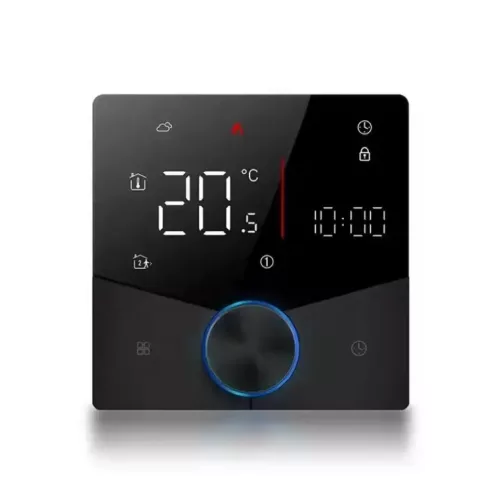

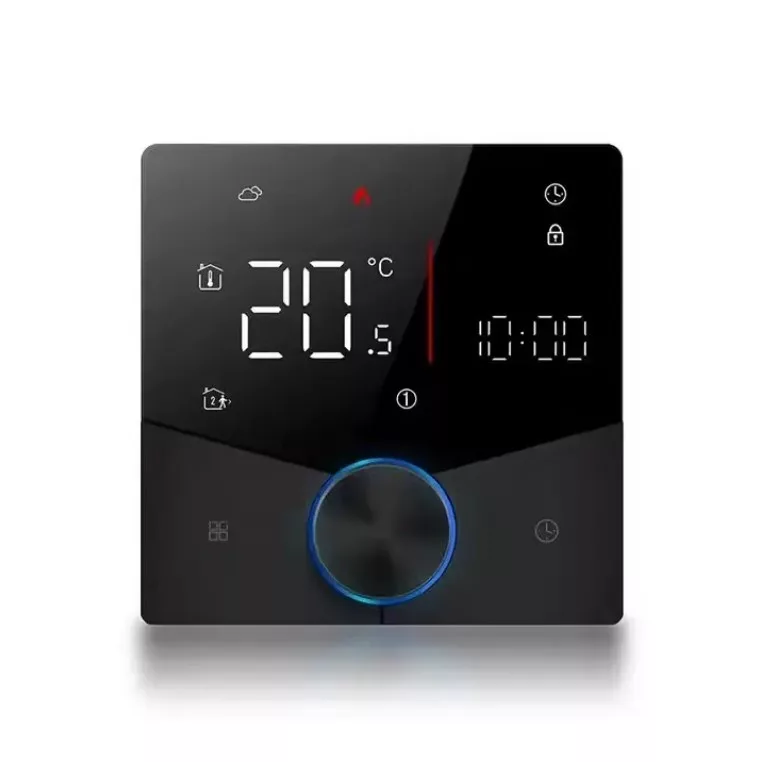
Take your electric/water circulation heating to a new level with the RSH® TM018 - Smart Thermostat!
It can be connected directly to water circulation heating and electric floor heating, up to 5 Amps on its own, with a relay above.
You can automate and set all your heating-related needs using the Tuya Smart / Smart Life application - via the Internet.
| Warranty: | 24 months |
| Color: | Black |
| Display: | LEDs |
| Compatibility: | Android and IOS |
| Compatible App: | Blitzwolf / Tuya Smart / Smart Life |
| Supported wireless networks: | 2.4GHz |
| Operating temperature range: | -10℃ to 60℃ |
| Water resistance: | Indoors, IP20 |
| Size: | Φ86 x 86 mm |
| Weight: | 350g |
| Power source: | 24V/110-240VAC, 50/60HZ |
| Compliance standard: | CE/ROHS/CCC/ISO |
| Contents of the package: | - RSH TM018 SMART Thermostat - Screw - User guide |
Out of stock
55.72 €
Out of stock
Details
Smart, WiFi thermostat. Suitable for electric and water circulation - floor heating systems - with LCD display
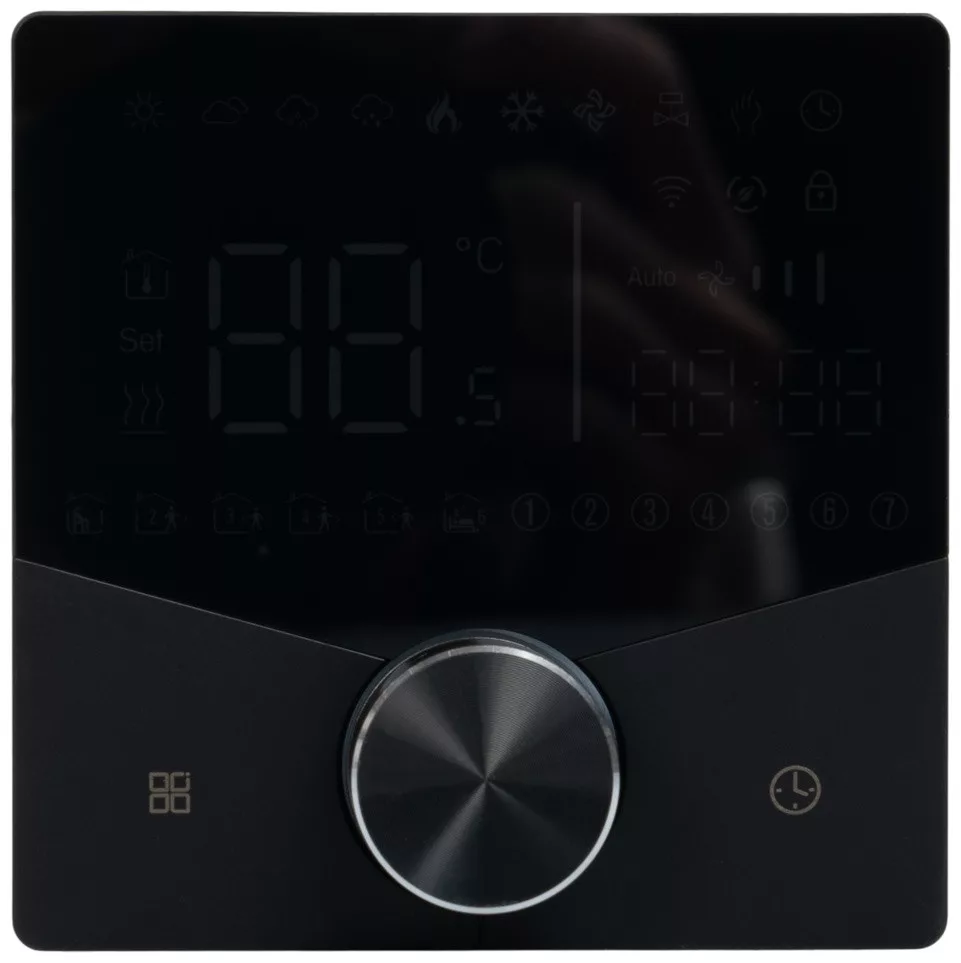
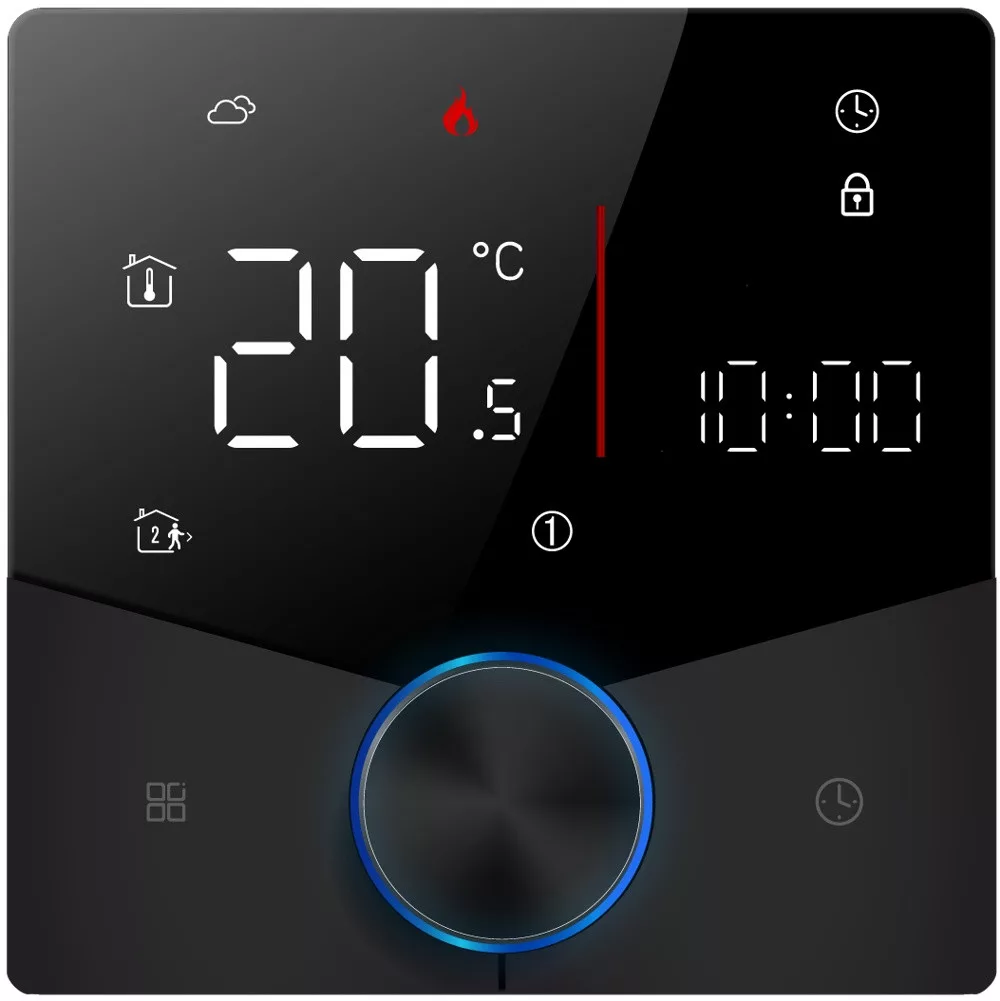
The thermostat has an LCD display, so you can monitor the temperature status not only in the application, but also on its display.
Areas of use
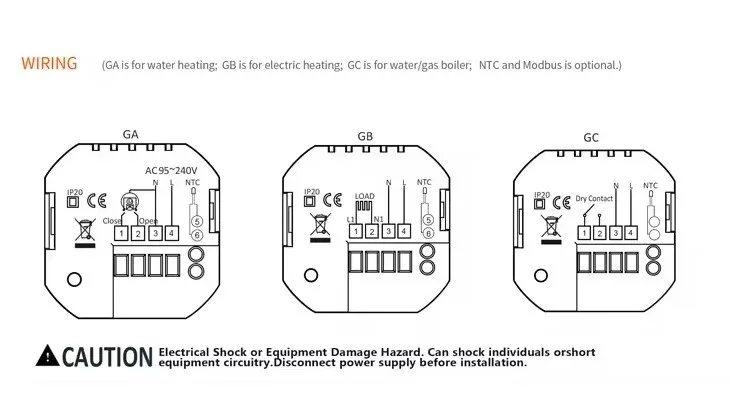
Low-power systems: Direct connection
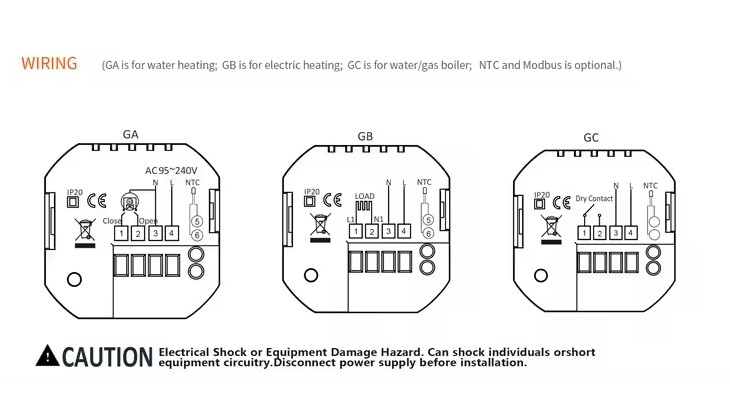
In the case of electric heating panels, convectors, floor heating thermostats and fan heaters, the 5A thermostat can be used directly. In the case of electric floor heating, the thermostat can directly connect the heating cables if their power does not exceed the 5A limit.
Higher power systems: By interposing a relay
If the heating system power exceeds the 5A limit, the thermostat should not be connected directly.
In such a case, the system should be designed by interposing a relay or contactor that can handle the higher current, even multiple phases and voltages.
This solution allows the thermostat to safely control higher power systems without overloading its own switch contacts.
Calibration
The current temperature sensor can be calibrated in 1°C steps.
Heating switching
You can set the °C difference at which the thermostat switches.
LCD touch screen
The smart thermostat has an elegant, sensitive LCD touch screen, scratch-free and easy to clean.
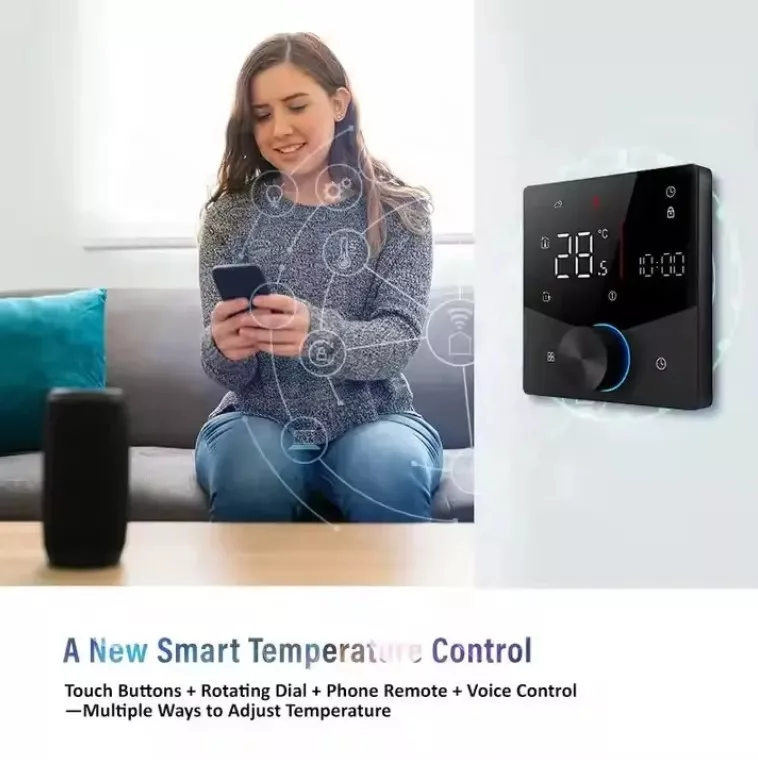
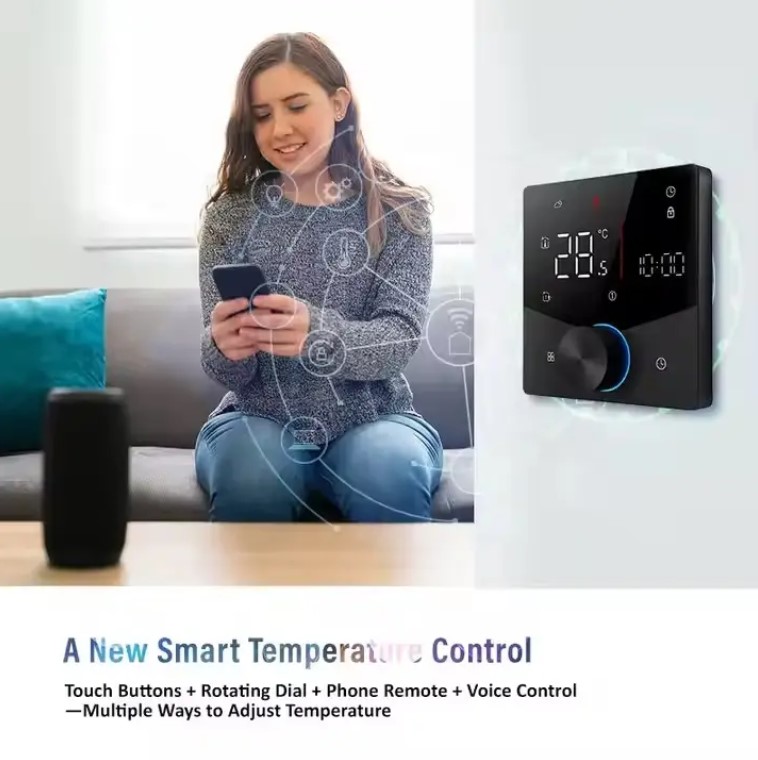
It can be controlled from an application
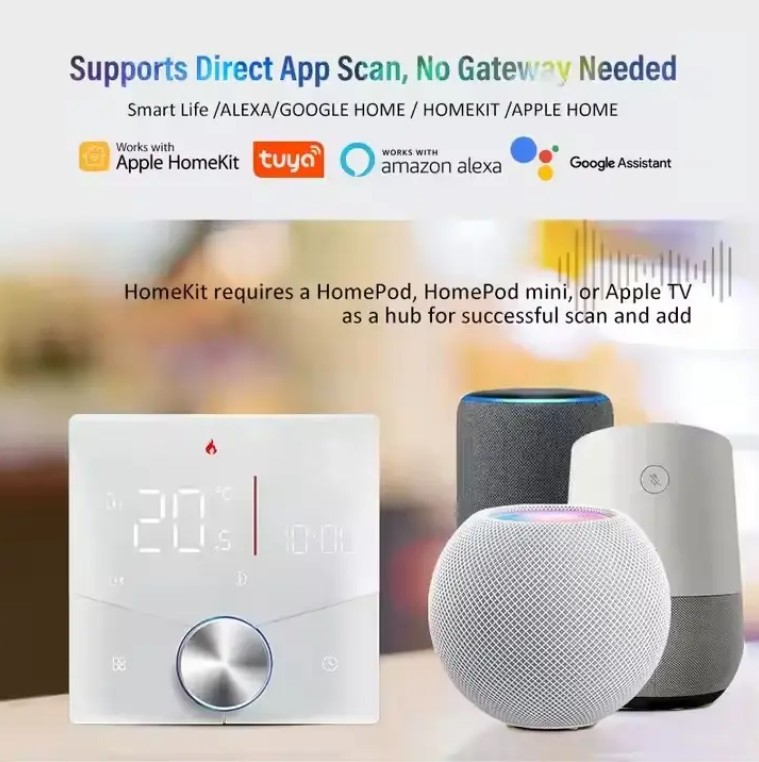
Whether you are at home or on the go, you can remotely control your home heating with the BlitzWolf / Smart Life or TuyaSmart app from your phone or tablet, based on IOS and Android. It only works with 2.4 GHz Wi-Fi networks. It does not require a hub to operate.
Voice control
The thermostat works perfectly with Amazon Alexa and Google Assistant. Simply give voice commands to turn on/off or set the right temperature when you're on the go.
Programming mode
7-day programmable mode that can be set to 5+2, 6+1 and 7 days to meet all your needs.
Power saving
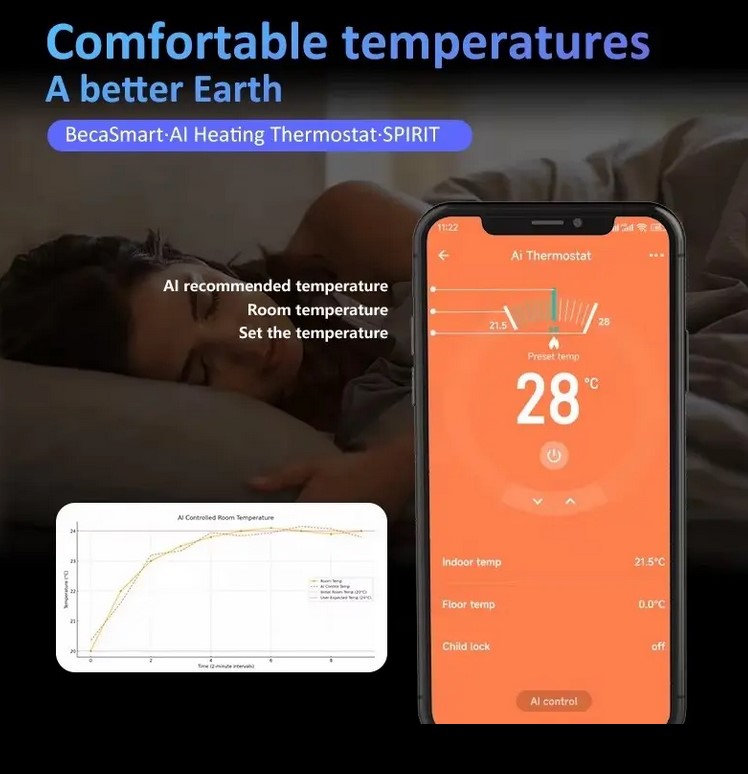
With this smart thermostat, you can save around 20% on your heating costs every year.
Child lock
Prevent children from accidentally touching it, so you can avoid unnecessary losses.
Sharing function
You can share all Tuya series devices with your family members, so you can manage your home together.
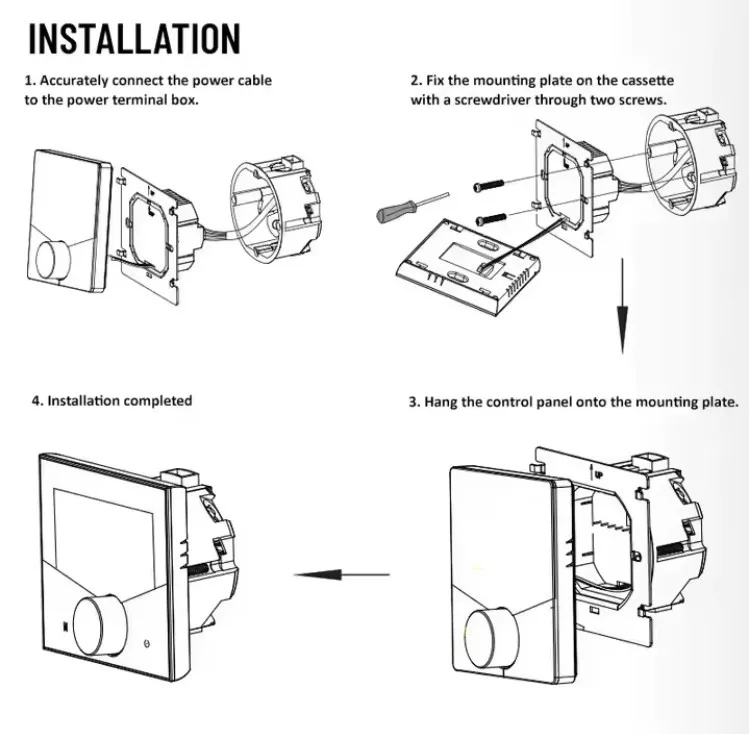
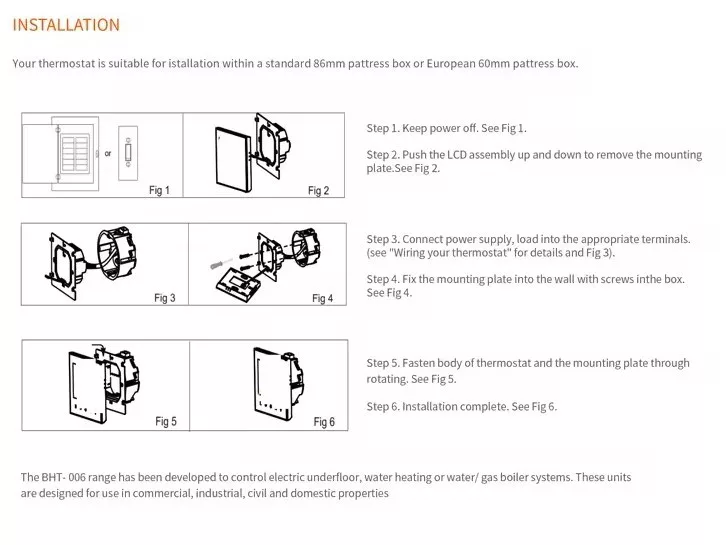
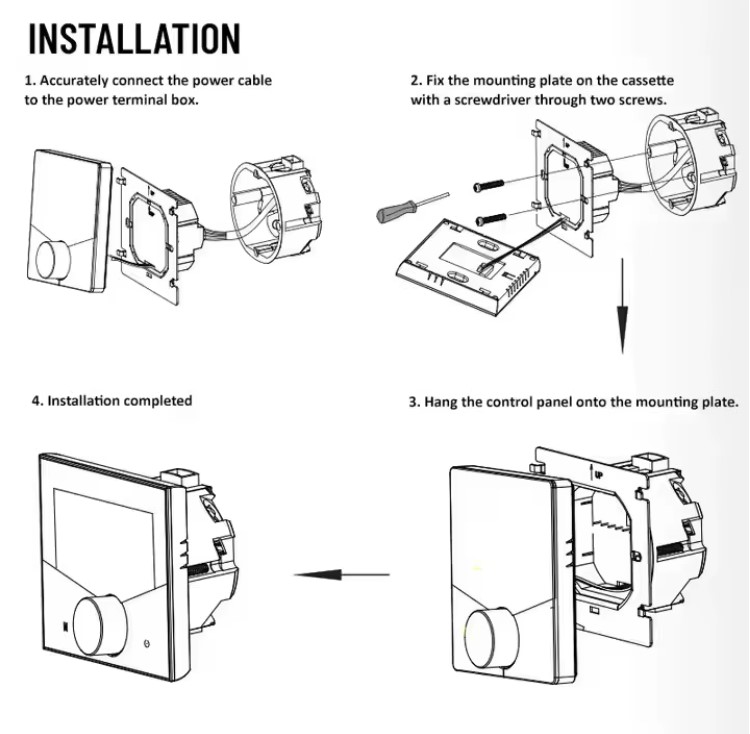
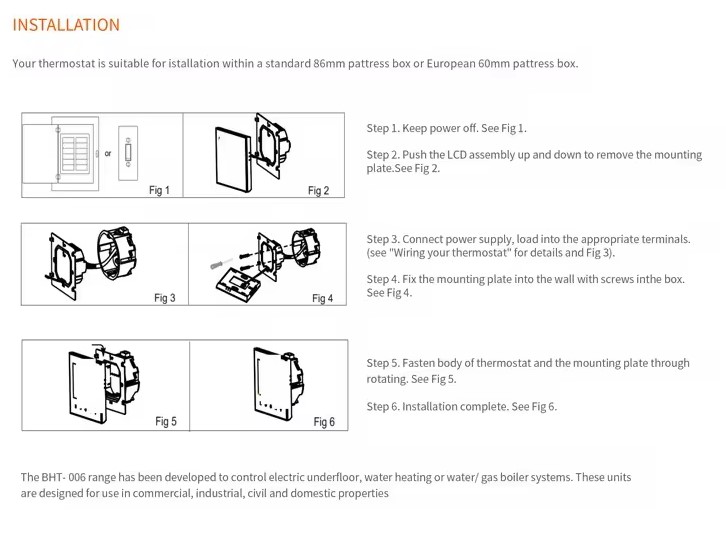
Install the RSH® TM018 Smart thermostat in a few simple steps
1. Download the Blitzwolf / Smartlife / Tuya app to your phone, be it Android or IOS, and install it.
2. Swipe in the app in the upper right corner and add the "Thermostat" device.
3. Press the square icon of the clock and dots on the thermostat.
4. Tap the "Confirm" button.
5. Select and enter the password of your home wireless network (2.4GHz).
6. Wait a few seconds.
7. Press the "Completed" button, time it as needed, or create rules so that it works with your other devices.

Data
GTIN:
5999571647156
Manufacturer:
RSH
Related products
Bundle offers
Reviews
Be the first to write a review!
Similar products